Ikken
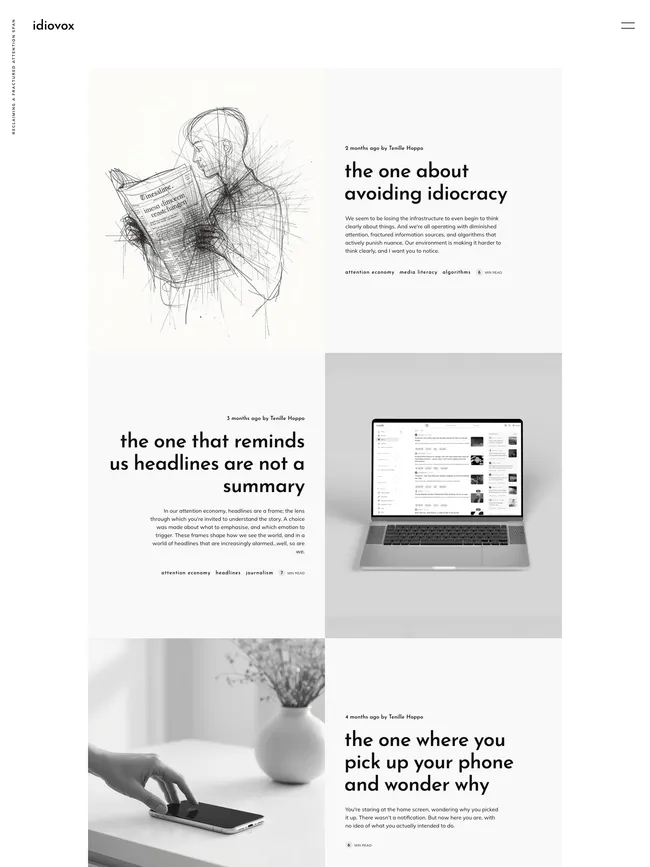
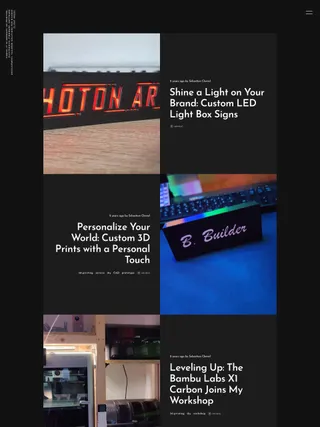
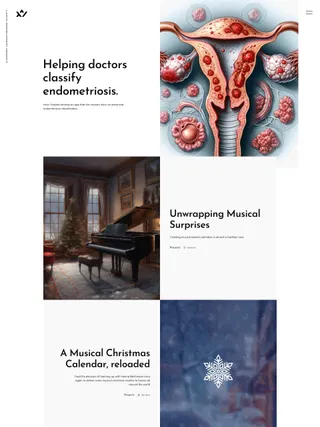
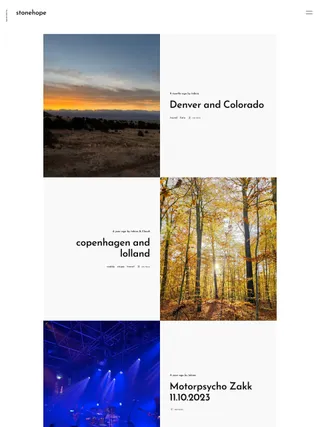
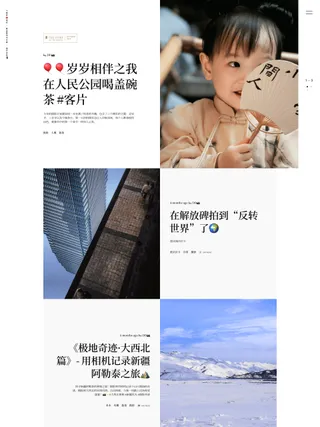
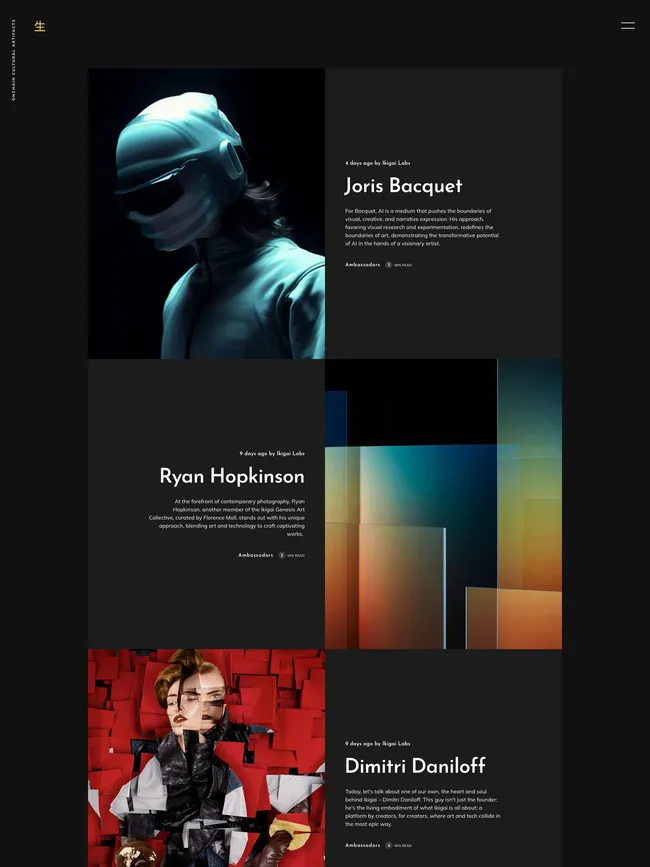
Built around the balance of image and text, Ikken moves from a featured slider to an alternating editorial feed. Selected stories can break the pattern with a full-width layout in this visual Ghost theme for image-led blogs.
Highlights
-
✓ Ghost 6 𝒊
Compatible with Ghost 6.0.0+
-
✓ Built for memberships 𝒊
Support for free, paid, and tiered memberships, including custom membership pages and pricing layouts.
-
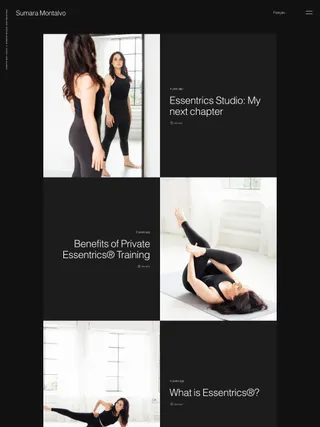
✓ Dark & auto color modes 𝒊
Light and dark color schemes, with optional automatic switching based on system preferences.
-
✓ Full-screen featured slider 𝒊
A full-screen homepage slider pairs large imagery with prominent type for featured pages and posts.
-
✓ Alternating editorial feed 𝒊
Image-and-text stories alternate from side to side throughout the homepage feed.
-
✓ Full-width posts 𝒊
Let selected posts with feature images span the full feed width, while posts without images use the layout automatically.
-
✓ Story of the month label 𝒊
Show the “Story of the month” label on featured posts, choose how much detail it includes, or hide it globally or for individual posts.
-
✓ Suggestion widget 𝒊
Show popular tags and, when enabled, authors ordered by post count inside the expandable menu.
-
✓ Custom theme settings 𝒊
Control color mode, search, the featured label, author suggestions, comments, dark logo, and footer text without editing code.
-
✓ Translation ready 𝒊
Fully translatable, with English and Polish included and support for Ghost’s built-in translations.
See full feature list
Key Ghost features
-
✓ Translation ready 𝒊
Fully translatable, with English and Polish included and support for Ghost’s built-in translations.
-
✓ Search 𝒊
Use Ghost’s native search or Ikken’s custom search powered by a Content API key.
-
✓ Comments 𝒊
Supports native Ghost comments, with Disqus available as an optional alternative.
-
✓ Members 𝒊
Supports Ghost Members for free signups, paid memberships, and protected content.
-
✓ Multiple authors 𝒊
Supports multiple authors and dedicated author archive pages.
-
✓ Fonts 𝒊
Choose separate heading and body fonts from Ghost’s built-in font lists, with Josefin Sans and Mulish as the theme defaults.
-
✓ Content cards 𝒊
Supports and styles Ghost’s built-in editor cards for rich article content.
-
✓ Custom theme settings 𝒊
Control color mode, search, the featured label, author suggestions, comments, dark logo, and footer text without editing code.
-
✓ Publication branding 𝒊
Supports your logo, accent color, publication cover, title, and description across the theme.
Memberships
-
✓ Public, free, and paid content 𝒊
Works for public posts, free member content, paid articles, and tier-based access.
-
✓ Membership tiers 𝒊
Supports Ghost membership tiers with monthly and yearly prices, trials, tier access, and plan currencies.
-
✓ Custom auth pages 𝒊
Includes custom membership pages for sign-in and sign-up.
-
✓ Subscribe page 𝒊
Includes a custom subscribe page for newsletter and member signup.
-
✓ Custom account page 𝒊
Includes a custom account page with member details, billing info, account settings, and subscription controls.
-
✓ Subscription section 𝒊
A built-in email signup section can pair with the publication cover after feeds and articles.
-
✓ Custom member experience 𝒊
Shows sign-in and account access in the menu, along with custom call-to-action blocks in protected content.
-
✓ Custom member notifications 𝒊
Shows custom notifications for subscribe, sign-in, sign-up, email update, expired link, and checkout states.
-
✓ Public previews 𝒊
Show a public preview before visitors sign up or upgrade.
-
✓ Membership pricing tables 𝒊
Membership and account pages include pricing tables with monthly and yearly plans, trials, benefits, and custom currencies.
Customization
-
✓ Dark & auto color modes 𝒊
Light and dark color schemes, with optional automatic switching based on system preferences.
-
✓ Secondary logo 𝒊
Use a separate logo for dark and automatic color schemes.
-
✓ Featured post and page slider 𝒊
Show up to five featured pages and ten featured posts in the homepage slider.
-
✓ Story of the month label 𝒊
Show the “Story of the month” label on featured posts, choose how much detail it includes, or hide it globally or for individual posts.
-
✓ Suggestion widget 𝒊
Show popular tags and, when enabled, authors ordered by post count inside the expandable menu.
-
✓ Social accounts 𝒊
Show X and Facebook in the footer through Ghost settings, with built-in support for many additional social services.
-
✓ Footer copyright 𝒊
Replace the default footer copyright text from the settings.
Publishing
-
✓ Featured posts and pages 𝒊
Highlight selected posts and pages in the homepage slider.
-
✓ Alternating editorial feed 𝒊
Image-and-text stories alternate from side to side throughout the homepage feed.
-
✓ Full-width posts 𝒊
Let selected posts with feature images span the full feed width, while posts without images use the layout automatically.
-
✓ Hide author 𝒊
Hide author details in the feed and on post pages.
-
✓ Author and tag archives 𝒊
Includes regular author and tag archive pages for individual authors and tags.
-
✓ Tags page 𝒊
Includes a dedicated tags page with tag cards ordered by post count.
-
✓ Contact form 𝒊
Custom contact page with Formspree support.
-
✓ Custom content pages 𝒊
Includes custom page templates for membership, account, contact, sign-in, sign-up, subscribe, tags, and error views.
Post experience
-
✓ Reading progress 𝒊
A progress indicator shows how far readers have moved through an article.
-
✓ Reading time 𝒊
Shows the estimated reading time for each article.
-
✓ Image zoom 𝒊
Built-in image zoom for image and gallery cards.
-
✓ Post navigation 𝒊
Article pages include newer and older post navigation after the content.
-
✓ Social sharing 𝒊
Share posts on X and Facebook, with built-in copy link support.
See it in action
Technical details
Theme
- Current version: v4.3.1
- Last update: Nov 28, 2025
- Compatible with Ghost 6.0.0+
Performance
-
✓ Responsive media 𝒊
Supports responsive tables and video embeds across screen sizes.
-
✓ Modern browser support 𝒊
Designed to work in current versions of major modern browsers.
-
✓ W3C validated 𝒊
Theme markup is checked against W3C validation standards.
-
✓ Ghost GScan tested 𝒊
Checked with Ghost’s official GScan tool.
-
✓ PageSpeed tested 𝒊
Built with lazy-loaded media, minified scripts, and lightweight assets.
Need details? Get answers about Ikken’s features, layouts, and suitability.
Before you buy
How does licensing work?
There’s a single license that scales with the number of sites you need — you choose how many at checkout.
The license isn’t tied to a specific site — it can be used on any site, as long as the number of sites in active use at any time doesn’t exceed what was purchased.
Can I customize the theme?
Yes — you can adapt the theme’s design and functionality to suit your project, workflow, or client requirements.
Where can I find the full terms?
Full licensing terms, refund policy, and other details are covered on the Terms page.
Purchase & access
What do I get with my purchase?
You receive the theme files, a license key, support, and future updates.
Access is available immediately after payment. All purchases are handled through the Polar checkout — once confirmed, you’ll have access to your files and the Customer Portal ↗.
Do I get future updates?
Yes — future updates are included.
Updates may include bug fixes, improvements, and new features. New Ghost functionality is considered for inclusion when it fits the theme’s design and scope.
What is the refund policy?
A 14-day money-back guarantee is offered on all purchases.
If you are not satisfied for any reason, a full refund may be requested within 14 days of purchase.
Support
Is support included with the purchase?
Yes — support is included at no additional cost.
Support covers theme-related questions and bug reports. Custom development, third-party integrations, and site management services are not included.
How do I get support?
Submit your request through the Support page.
Select the appropriate topic, provide your license key, and describe the issue.
Where can I find the documentation?
Browse Docs and select your theme.
I update the docs as themes change. Check that you’re using the latest version of your theme when following a guide.
See Ikken in action. Built on real sites.