

Layouts
Choose one of Maido’s four homepage feed layouts, then optionally make two cards larger in grid sections.
Step-by-Step- Go to the 'Design & branding' settings in the Ghost Admin.
- Open the 'Theme' tab and go to the 'Homepage' section, then find the 'Layout' option.
- Choose 'Big posts', 'Big posts & Grid', 'Grid & Big posts', or 'Grid'.
- Click 'Save' to activate.
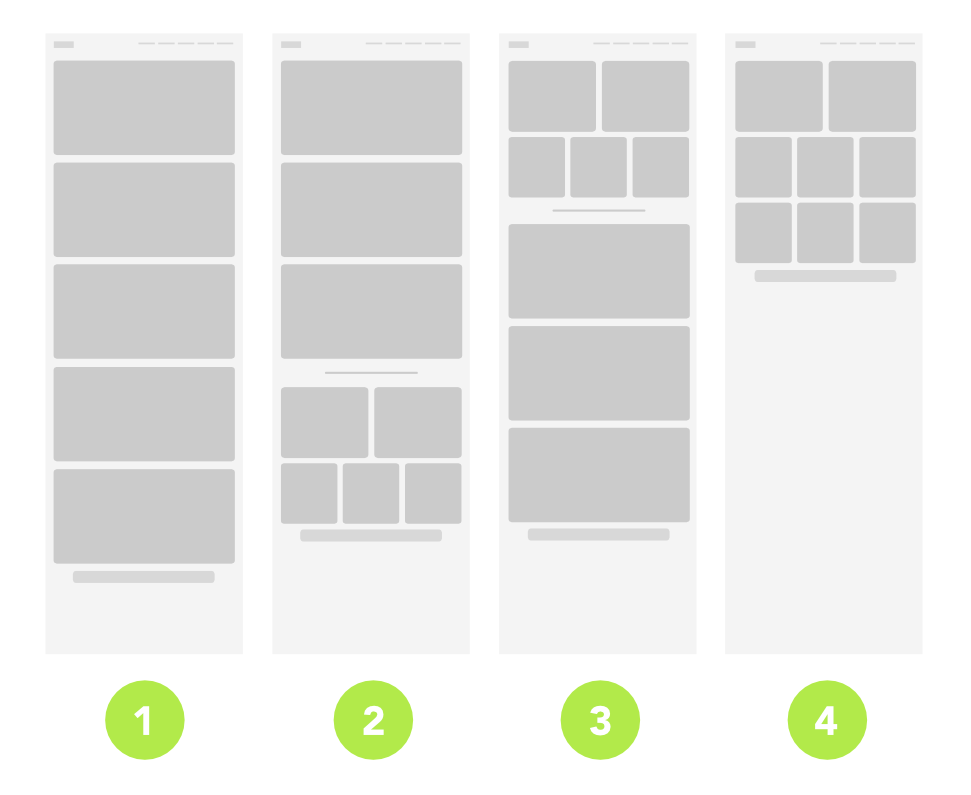
In grid layouts, two cards can fill the first row. This option also affects author and tag pages when 'Big posts & Grid', 'Grid & Big posts', or 'Grid' is selected.
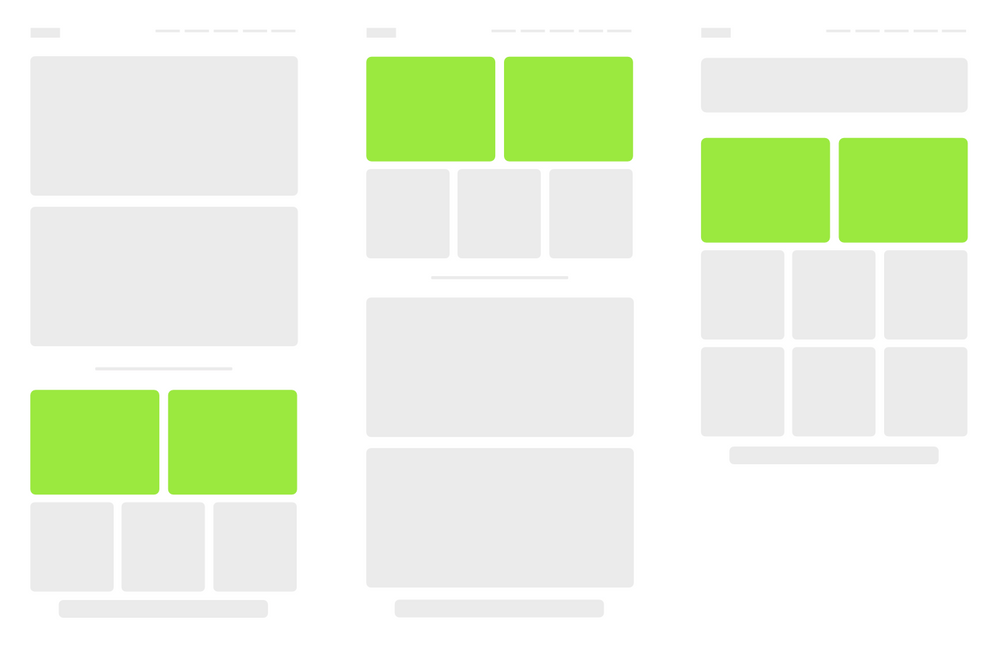
- Go to the 'Design & branding' settings in the Ghost Admin.
- Open the 'Theme' tab and go to the 'Homepage' section, then find 'Two large posts in a grid layout'.
- Turn on the toggle and click 'Save' to activate.
Type at least 2 characters to search