Maido
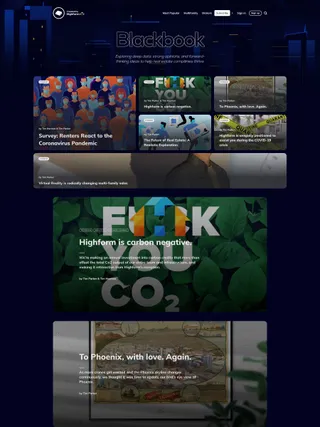
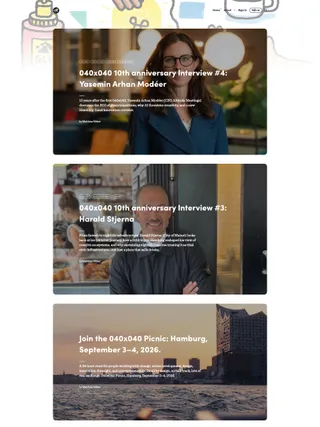
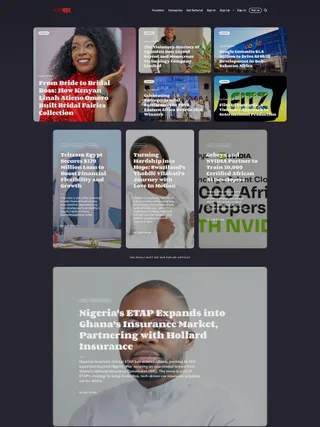
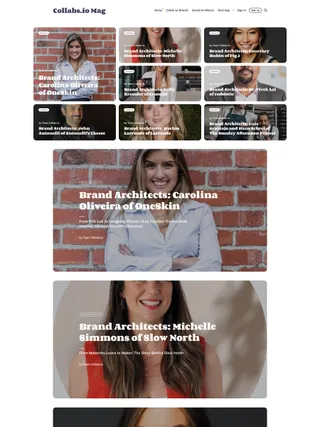
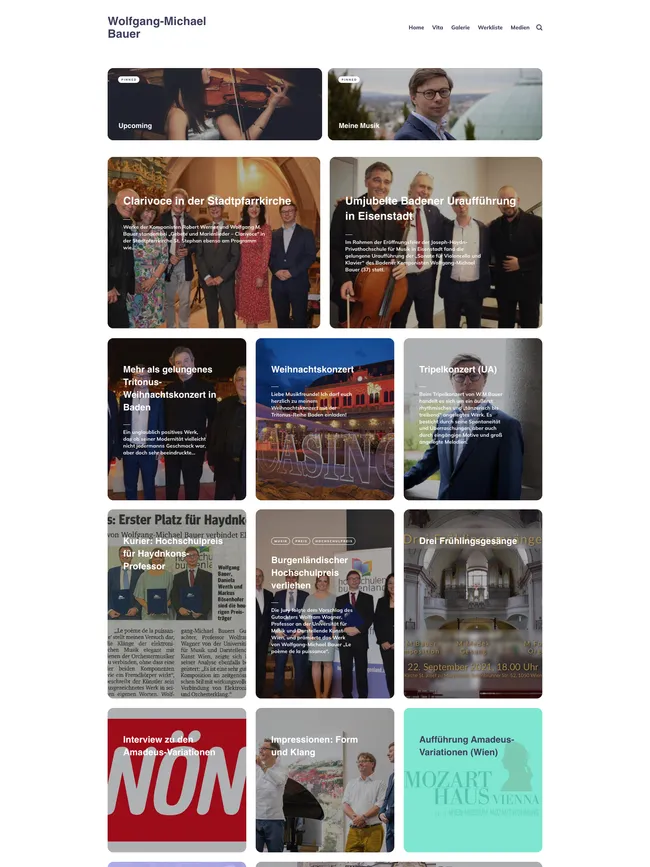
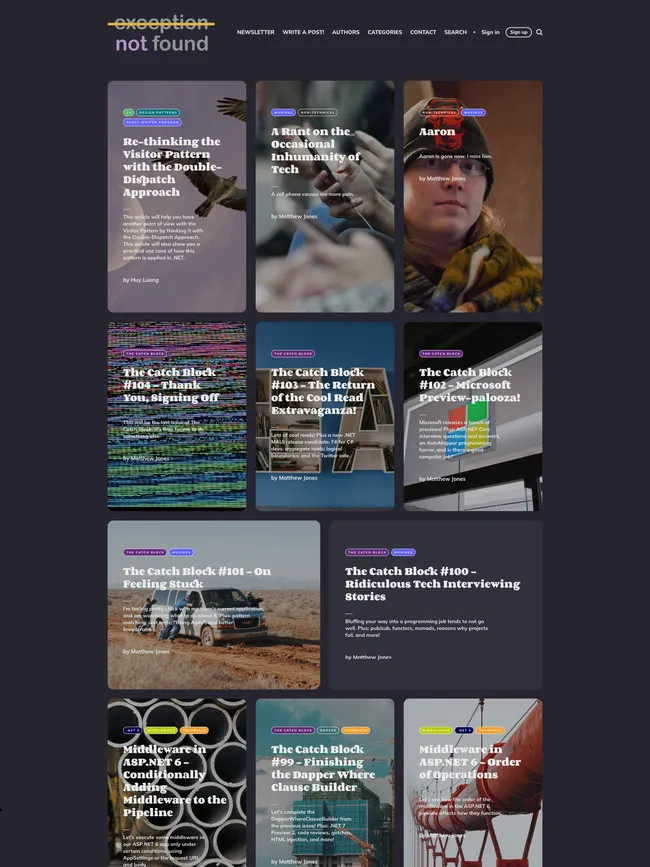
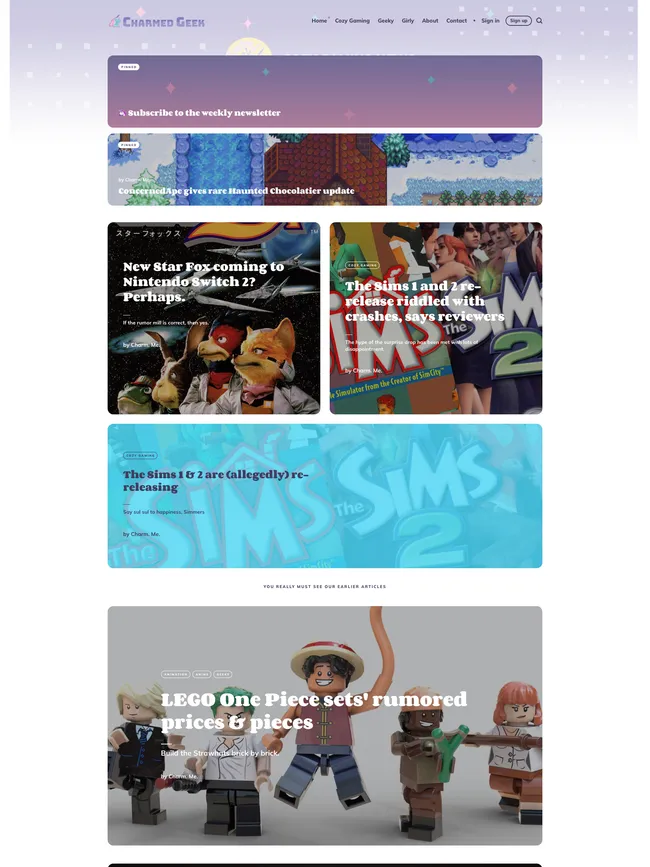
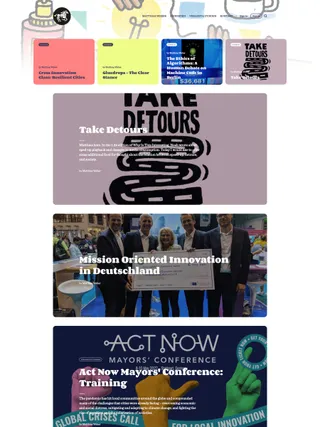
Scale shapes Maido’s homepage, from a separate hero and pinned stories to a feed that can shift between large cards and compact grids. Color follows individual posts through this visual Ghost theme.
Highlights
-
✓ Ghost 6 𝒊
Compatible with Ghost 6.0.0+
-
✓ Built for memberships 𝒊
Support for free, paid, and tiered member content, with custom signup, account, and pricing pages.
-
✓ Dark & auto color modes 𝒊
Choose light or dark colors, or follow each visitor’s system appearance preference automatically.
-
✓ Pinned section 𝒊
Place up to eight featured posts and two featured pages above the feed, with an optional separate hero post or page.
-
✓ Multiple feed layouts 𝒊
Choose from four homepage feed layouts that combine large stories and grid cards in different orders.
-
✓ Post-card options 𝒊
Enlarge two cards in grid sections from theme settings, or mark an individual post to occupy two thirds of a grid row.
-
✓ Post-card colors 𝒊
Assign one of 22 built-in colors to a post’s feed, pinned, and navigation cards with an internal tag.
-
✓ Post color label 𝒊
Optionally carry a post’s chosen color onto its article page as a narrow strip on the left.
-
✓ Suggestion widget 𝒊
Custom search includes popular tag suggestions and an optional author list ordered by post count.
-
✓ Custom theme settings 𝒊
Control color mode, feed layout, card size, search, author visibility, post color labels, related posts, comments, and footer text without editing code.
-
✓ Translation ready 𝒊
Includes English, French, Japanese, Polish, and Russian translations and supports Ghost’s translation system.
See full feature list
Key Ghost features
-
✓ Translation ready 𝒊
Includes English, French, Japanese, Polish, and Russian translations and supports Ghost’s translation system.
-
✓ Search 𝒊
Use Ghost’s native search or enable Maido’s custom search with a Content API key.
-
✓ Comments 𝒊
Supports native Ghost comments, with Disqus available as an optional alternative.
-
✓ Members 𝒊
Supports Ghost Members for free signups, paid memberships, and protected content.
-
✓ Multiple authors 𝒊
Supports multiple authors, dedicated author archives, and a separate Authors page.
-
✓ Fonts 𝒊
Use Ghost’s typography choices; the theme’s default design pairs Corben and Mulish.
-
✓ Content cards 𝒊
Styles Ghost editor cards for rich articles, including images, galleries, embeds, files, products, and signups.
-
✓ Custom theme settings 𝒊
Control color mode, feed layout, card size, search, author visibility, post color labels, related posts, comments, and footer text without editing code.
-
✓ Publication branding 𝒊
Use your logo, accent color, publication cover, title, and description throughout the theme.
Memberships
-
✓ Public, free, and paid content 𝒊
Publish public posts, free member content, paid articles, and posts restricted to selected tiers.
-
✓ Membership tiers 𝒊
Show Ghost membership tiers with monthly and yearly prices, benefits, trials, and plan currencies.
-
✓ Custom auth pages 𝒊
Includes custom pages for member signup and sign-in.
-
✓ Custom account page 𝒊
Includes an account page with membership details, billing information, and account actions.
-
✓ Subscribe page 𝒊
Includes a custom newsletter page where visitors can sign up for emails.
-
✓ Subscription section 𝒊
Shows an email signup section below feeds and articles when Ghost Members are enabled.
-
✓ Membership pricing tables 𝒊
Membership and account pages show available tiers, monthly and yearly prices, benefits, and trial options.
-
✓ Custom member experience 𝒊
Shows sign-in or account links in navigation and tailored signup or upgrade prompts in protected posts.
-
✓ Public previews 𝒊
Show a public preview before asking readers to sign up or upgrade.
-
✓ Portal support 𝒊
Uses Ghost Portal for plan checkout and account actions alongside the theme’s custom member pages.
-
✓ Custom member notifications 𝒊
Shows custom notices for subscriptions, sign-in, signup, email updates, expired links, and successful checkout.
Customization
-
✓ Dark & auto color modes 𝒊
Choose light or dark colors, or follow each visitor’s system appearance preference automatically.
-
✓ Secondary logo 𝒊
Upload a separate logo for dark and automatic color schemes.
-
✓ Pinned section 𝒊
Place up to eight featured posts and two featured pages above the feed, with an optional separate hero post or page.
-
✓ Multiple feed layouts 𝒊
Choose from four homepage feed layouts that combine large stories and grid cards in different orders.
-
✓ Post-card colors 𝒊
Assign one of 22 built-in colors to a post’s feed, pinned, and navigation cards with an internal tag.
-
✓ Post color label 𝒊
Optionally carry a post’s chosen color onto its article page as a narrow strip on the left.
-
✓ Suggestion widget 𝒊
Custom search includes popular tag suggestions and an optional author list ordered by post count.
-
✓ Social accounts 𝒊
Show X and Facebook links in the footer through Ghost settings, with additional icons available through theme editing.
-
✓ Footer copyright 𝒊
Replace the default footer copyright text from theme settings.
Publishing
-
✓ Featured posts and pages 𝒊
Feature selected posts and pages in the homepage pinned section.
-
✓ Post-card options 𝒊
Enlarge two cards in grid sections from theme settings, or mark an individual post to occupy two thirds of a grid row.
-
✓ Hide author 𝒊
Hide author names in the feed and on article pages from theme settings.
-
✓ Author and tag archives 𝒊
Includes individual author and tag archive pages with post lists.
-
✓ Authors and tags pages 𝒊
Includes separate Authors and Tags pages ordered by published post count.
-
✓ Contact form 𝒊
Includes a custom contact page with a configurable form endpoint.
-
✓ Custom content pages 𝒊
Includes custom templates for authors, tags, contact, membership, newsletter, signup, sign-in, account, and error pages.
Post experience
-
✓ Reading progress 𝒊
A circular progress indicator tracks how far a reader has moved through an accessible article.
-
✓ Reading time 𝒊
Shows an estimated reading time in article headers.
-
✓ Image zoom 𝒊
Readers can enlarge images and galleries within articles.
-
✓ Post navigation 𝒊
Article pages link to newer and older posts after the content.
-
✓ Related posts 𝒊
Suggests up to three posts from the article’s primary tag, with a setting to place them above or below comments.
-
✓ Social sharing 𝒊
Share articles on X or Facebook, or copy a direct link.
Technical details
Theme
- Current version: v3.3.3
- Last update: Nov 28, 2025
- Compatible with Ghost 6.0.0+
Performance
-
✓ Responsive media 𝒊
Images, tables, and embedded videos adapt to smaller screens.
- ✓ Ghost GScan tested
Need details? Get answers about Maido’s features, layouts, and suitability.
Before you buy
How does licensing work?
There’s a single license that scales with the number of sites you need — you choose how many at checkout.
The license isn’t tied to a specific site — it can be used on any site, as long as the number of sites in active use at any time doesn’t exceed what was purchased.
Can I customize the theme?
Yes — you can adapt the theme’s design and functionality to suit your project, workflow, or client requirements.
Where can I find the full terms?
Full licensing terms, refund policy, and other details are covered on the Terms page.
Purchase & access
What do I get with my purchase?
You receive the theme files, a license key, support, and future updates.
Access is available immediately after payment. All purchases are handled through the Polar checkout — once confirmed, you’ll have access to your files and the Customer Portal ↗.
Do I get future updates?
Yes — future updates are included.
Updates may include bug fixes, improvements, and new features. New Ghost functionality is considered for inclusion when it fits the theme’s design and scope.
What is the refund policy?
A 14-day money-back guarantee is offered on all purchases.
If you are not satisfied for any reason, a full refund may be requested within 14 days of purchase.
Support
Is support included with the purchase?
Yes — support is included at no additional cost.
Support covers theme-related questions and bug reports. Custom development, third-party integrations, and site management services are not included.
How do I get support?
Submit your request through the Support page.
Select the appropriate topic, provide your license key, and describe the issue.
Where can I find the documentation?
Browse Docs and select your theme.
I update the docs as themes change. Check that you’re using the latest version of your theme when following a guide.
See Maido in action. Built on real sites.