Shoji
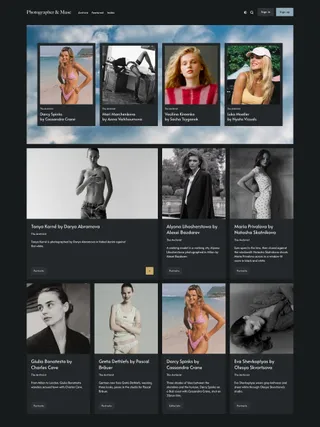
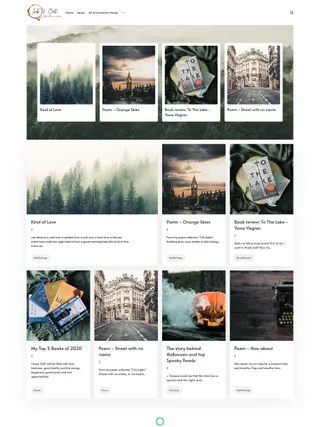
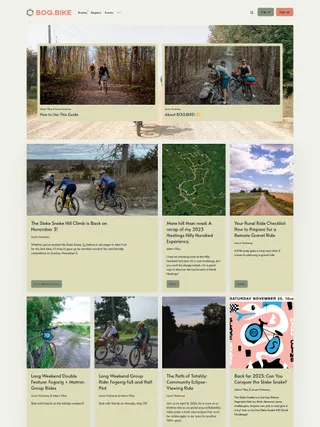
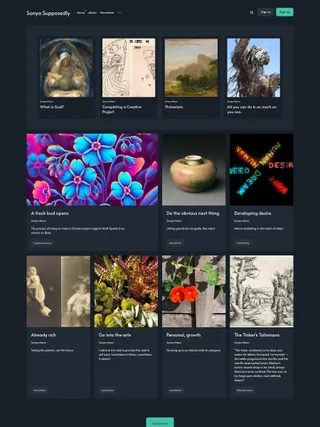
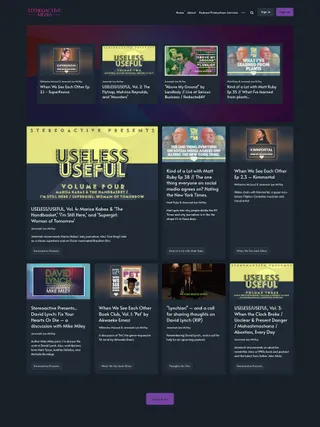
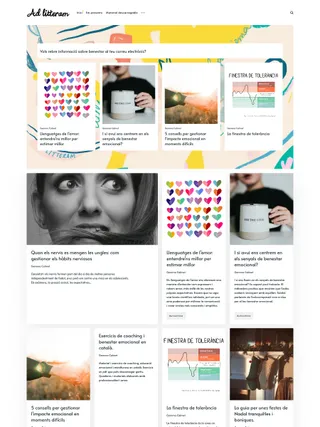
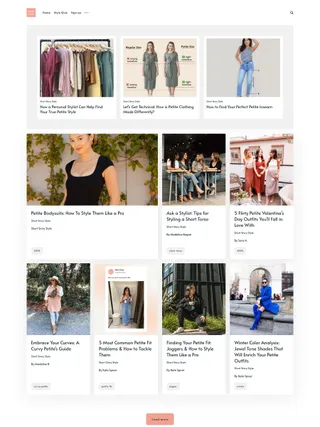
Block by block, Shoji moves from stories to an invitation to join, ending with the authors and topics that shape the publication. The cover becomes the publication’s visual signature in this structured editorial Ghost theme.
Keep the rhythm, block by block. Clear framing carries across the homepage and custom pages, giving editorial, membership, and discovery sections one visual rhythm.
A connected member journey. Custom pages carry readers from signup and plan selection to account management, while protected posts use matching labels and calls to action.
Let the archive organize itself. Homepage widgets and dedicated author and tag pages order contributors and topics by post count, with visual cards for the leading entries and compact links for the rest.
Highlights
-
✓ Ghost 6 𝒊
Compatible with Ghost 6.37.0+
-
✓ Built for memberships 𝒊
Support for free, paid, and tiered memberships, including custom membership pages and pricing layouts.
-
✓ Dark & auto color modes 𝒊
Light and dark color schemes, with optional automatic switching based on system preferences.
-
✓ Block-based layout 𝒊
Framed sections give the homepage, membership pages, and author and tag directories a consistent block-based structure.
-
✓ Pinned section 𝒊
Pin up to four featured posts and two featured pages in a homepage section that can use the publication cover as its background.
-
✓ Prominent latest post 𝒊
When the latest post has a feature image, it opens the feed at a larger scale before the remaining stories move into smaller cards.
-
✓ Homepage widgets 𝒊
Show the most active authors and popular tags near the footer, with dedicated Authors and Tags pages ordered by post count.
-
✓ Recommended posts 𝒊
Recommend posts on the homepage from a selected tag or from the latest post’s primary tag.
-
✓ Custom theme settings 𝒊
Control color mode, search, sharing, author visibility, homepage recommendations and widgets, navigation position, Disqus, load more style, and footer text without editing code.
-
✓ Translation ready 𝒊
Fully translatable, with English included and support for Ghost’s built-in translations.
See full feature list
Key Ghost features
-
✓ Translation ready 𝒊
Fully translatable, with English included and support for Ghost’s built-in translations.
-
✓ Search 𝒊
Use Ghost’s native search or Shoji’s custom search powered by Ghost’s built-in Content API key.
-
✓ Comments 𝒊
Supports native Ghost comments, with Disqus available as an optional alternative.
-
✓ Members 𝒊
Supports Ghost Members for free signups, paid memberships, and protected content.
-
✓ Multiple authors 𝒊
Supports multiple authors and dedicated author archive pages.
-
✓ Fonts 𝒊
Choose separate heading and body fonts from Ghost’s built-in font lists.
-
✓ Content cards 𝒊
Supports and styles Ghost’s built-in editor cards for rich article content.
-
✓ Custom theme settings 𝒊
Control color mode, search, sharing, author visibility, homepage recommendations and widgets, navigation position, Disqus, load more style, and footer text without editing code.
-
✓ Publication branding 𝒊
Use your logo, accent color, title, and description, with the publication cover serving as a background for the pinned and subscription sections.
Memberships
-
✓ Public, free, and paid content 𝒊
Works for public posts, free member content, paid articles, and tier-based access.
-
✓ Membership tiers 𝒊
Supports Ghost membership tiers with monthly and yearly prices, trials, tier access, and plan currencies.
-
✓ Custom auth pages 𝒊
Includes custom membership pages for sign-in and sign-up.
-
✓ Subscribe page 𝒊
Includes a custom subscribe page for newsletter and member signup.
-
✓ Custom account page 𝒊
Includes a custom account page with member details, billing info, account settings, and subscription controls.
-
✓ Subscription section 𝒊
An email signup form sits beside a cover-backed invitation to support the publication after feeds and articles.
-
✓ Custom member experience 𝒊
Adapts the header to each reader’s account state, labels protected posts, and places the right sign-up or upgrade prompt inside gated content.
-
✓ Custom member notifications 𝒊
Shows custom notifications for subscribe, sign-in, sign-up, email update, expired link, and checkout states.
-
✓ Public previews 𝒊
Show a public preview before visitors sign up or upgrade.
-
✓ Membership pricing tables 𝒊
Membership and account pages include pricing tables with monthly and yearly plans, trials, benefits, and custom currencies.
Customization
-
✓ Dark & auto color modes 𝒊
Light and dark color schemes, with optional automatic switching based on system preferences.
-
✓ Secondary logo 𝒊
Use a separate logo for dark and automatic color schemes.
-
✓ Pinned section 𝒊
Pin up to four featured posts and two featured pages in a homepage section that can use the publication cover as its background.
-
✓ Homepage widgets 𝒊
Show the most active authors and popular tags near the footer, with dedicated Authors and Tags pages ordered by post count.
-
✓ Recommended posts 𝒊
Recommend posts on the homepage from a selected tag or from the latest post’s primary tag.
-
✓ Load more button 𝒊
Switch the default circular load more control to a standard button from theme settings.
-
✓ Advanced navigation 𝒊
Longer navigation stays organized by placing extra links in a dropdown at the end.
-
✓ Right-side navigation 𝒊
Move the header navigation to the right side from theme settings.
-
✓ Social accounts 𝒊
Show X, Facebook, LinkedIn, Bluesky, Threads, Mastodon, TikTok, YouTube, and Instagram in the footer through Ghost settings, with additional icons available through theme files.
-
✓ Multi-column footer 𝒊
Use secondary navigation to build a structured footer with up to four columns.
-
✓ Footer copyright 𝒊
Replace the default footer copyright text from the settings.
Publishing
-
✓ Block-based layout 𝒊
Framed sections give the homepage, membership pages, and author and tag directories a consistent block-based structure.
-
✓ Featured posts and pages 𝒊
Highlight selected posts and pages in the homepage pinned section.
-
✓ Prominent latest post 𝒊
When the latest post has a feature image, it opens the feed at a larger scale before the remaining stories move into smaller cards.
-
✓ Post image widths 𝒊
Use the default split post header or let the feature image span the full width on individual articles.
-
✓ Hide author 𝒊
Hide author details in the feed and on post pages.
-
✓ Author and tag archives 𝒊
Includes regular author and tag archive pages for individual authors and tags.
-
✓ Authors and tags pages 𝒊
Includes dedicated authors and tags pages with cards ordered by post count.
-
✓ Contact form 𝒊
Custom contact page with Formspree support.
-
✓ Custom content pages 𝒊
Includes custom page templates for membership, account, contact, sign-in, sign-up, subscribe, and error views.
Post experience
-
✓ Reading progress 𝒊
A progress indicator shows how far readers have moved through an article.
-
✓ Reading time 𝒊
Shows the estimated reading time for each article.
-
✓ Image zoom 𝒊
Built-in image zoom for image and gallery cards.
-
✓ Post navigation 𝒊
Article pages include newer and older post navigation after the content.
-
✓ Related posts 𝒊
Show related posts after articles based on the post’s primary tag.
-
✓ Social sharing 𝒊
Share posts with custom controls for X, Facebook, and copy link, use Ghost’s native sharing option, or disable sharing entirely.
-
✓ Scroll to top 𝒊
A built-in button helps readers quickly return to the top of long pages.
See it in action
- Style guide ↗
- Post: Member CTA ↗
- Post: Paid member CTA ↗
- Post: Half-width image ↗
- Post: Full-width image ↗
- Account: Member ↗
- Account: Paid member ↗
- Page: Membership ↗
- Page: Subscribe ↗
- Page: Authors ↗
- Page: Tags ↗
- Page: Contact ↗
- Page: Sign-in ↗
- Page: Sign-up ↗
- Page: Error ↗
- Archive: Author ↗
- Archive: Tag ↗
Technical details
Theme
- Current version: v3.4.0
- Last update: Oct 29, 2026
- Compatible with Ghost 6.37.0+
Performance
-
✓ Responsive media 𝒊
Supports responsive tables and video embeds across screen sizes.
-
✓ Modern browser support 𝒊
Designed to work in current versions of major modern browsers.
-
✓ W3C validated 𝒊
Theme markup is checked against W3C validation standards.
- ✓ Ghost GScan tested
-
✓ PageSpeed tested 𝒊
Built with lazy-loaded media, minified scripts, and lightweight assets.
Need details? Get answers about Shoji’s features, layouts, and suitability.
Before you buy
How does licensing work?
There’s a single license that scales with the number of sites you need — you choose how many at checkout.
The license isn’t tied to a specific site — it can be used on any site, as long as the number of sites in active use at any time doesn’t exceed what was purchased.
Can I customize the theme?
Yes — you can adapt the theme’s design and functionality to suit your project, workflow, or client requirements.
Where can I find the full terms?
Full licensing terms, refund policy, and other details are covered on the Terms page.
Purchase & access
What do I get with my purchase?
You receive the theme files, a license key, support, and future updates.
Access is available immediately after payment. All purchases are handled through the Polar checkout — once confirmed, you’ll have access to your files and the Customer Portal ↗.
Do I get future updates?
Yes — future updates are included.
Updates may include bug fixes, improvements, and new features. New Ghost functionality is considered for inclusion when it fits the theme’s design and scope.
What is the refund policy?
A 14-day money-back guarantee is offered on all purchases.
If you are not satisfied for any reason, a full refund may be requested within 14 days of purchase.
Support
Is support included with the purchase?
Yes — support is included at no additional cost.
Support covers theme-related questions and bug reports. Custom development, third-party integrations, and site management services are not included.
How do I get support?
Submit your request through the Support page.
Select the appropriate topic, provide your license key, and describe the issue.
Where can I find the documentation?
Browse Docs and select your theme.
I update the docs as themes change. Check that you’re using the latest version of your theme when following a guide.
See Shoji in action. Built on real sites.